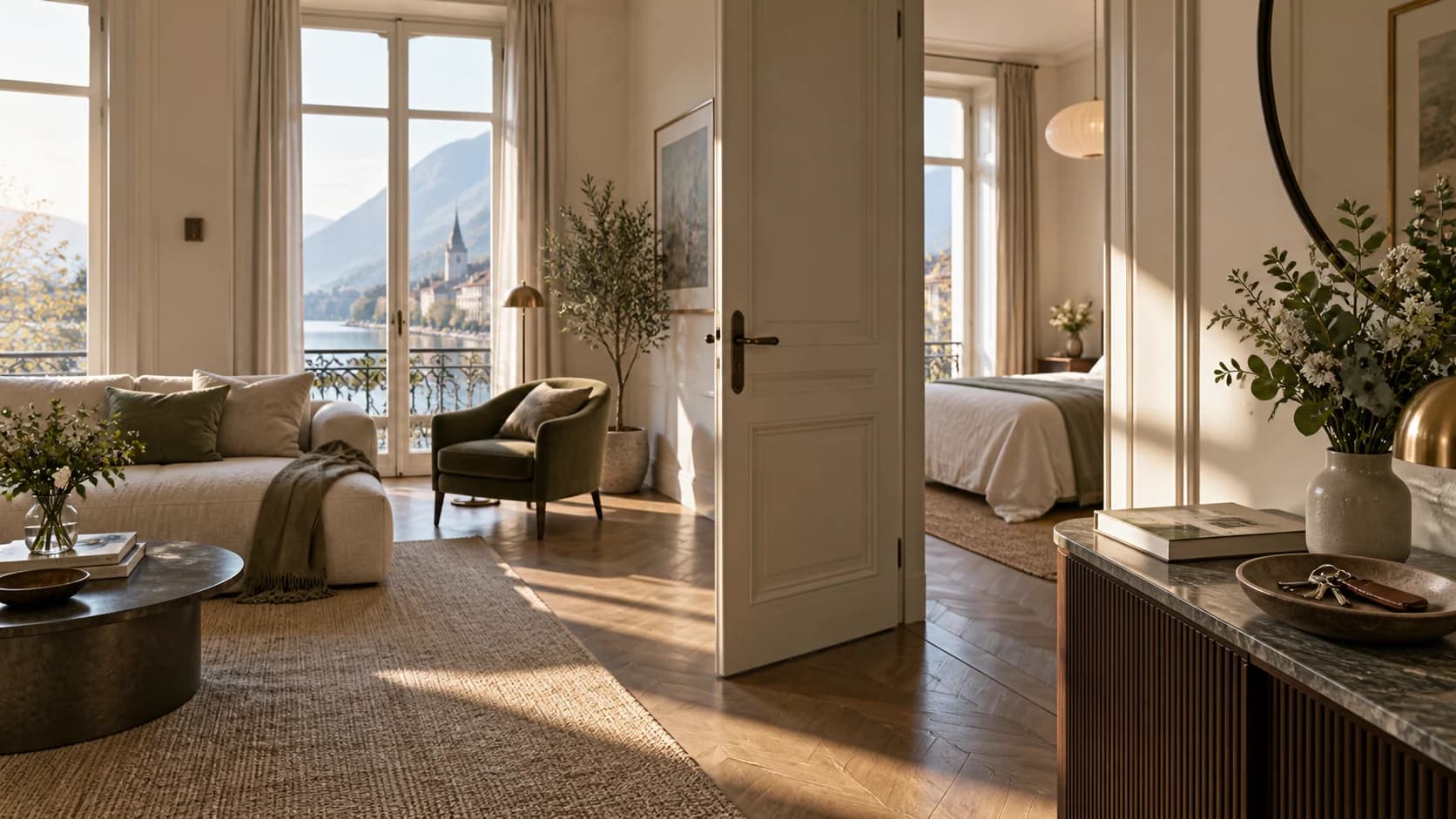
For property managers and short-term rentals
Answer once,for every stay.
A QR code in the property, and your guests find their answers on their own.
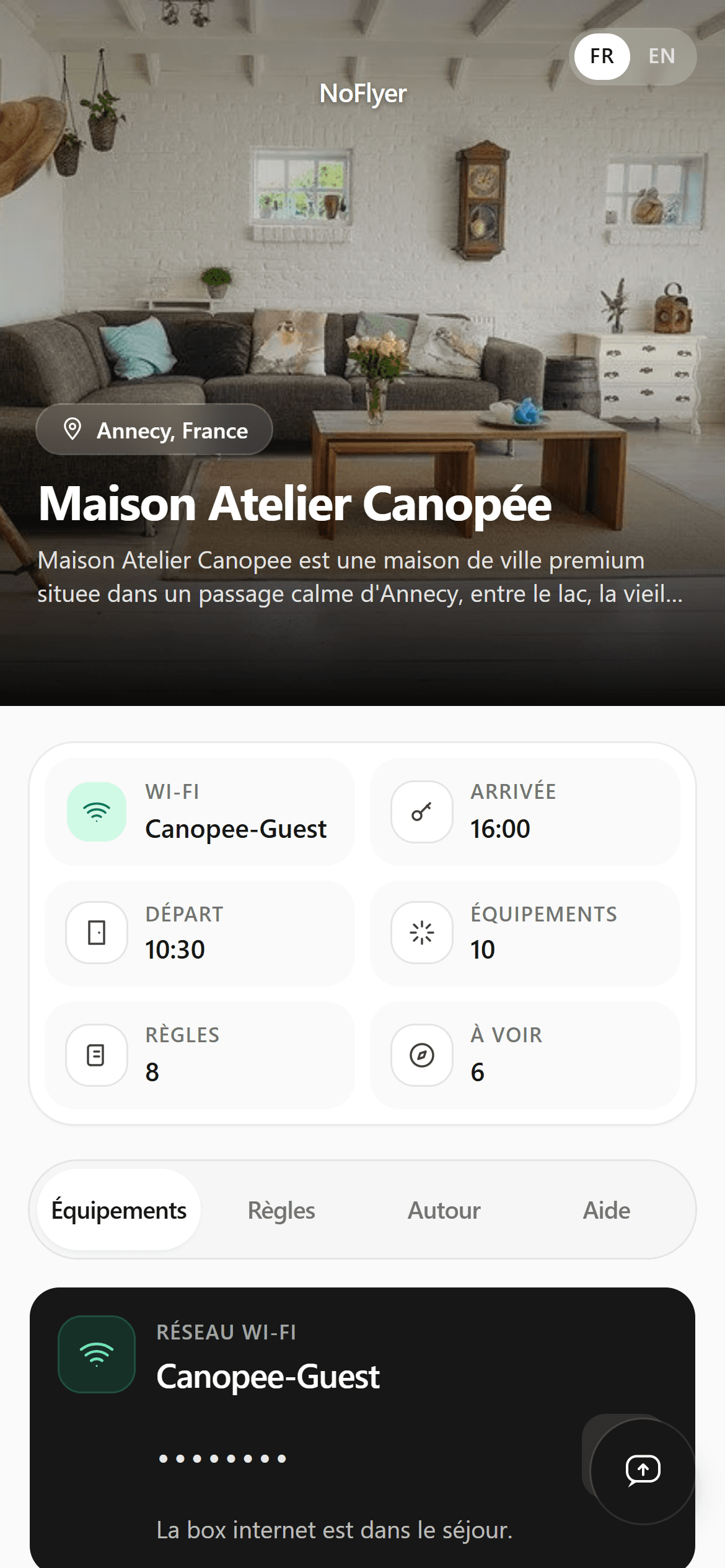
All these answers, in one guide.
The assistant
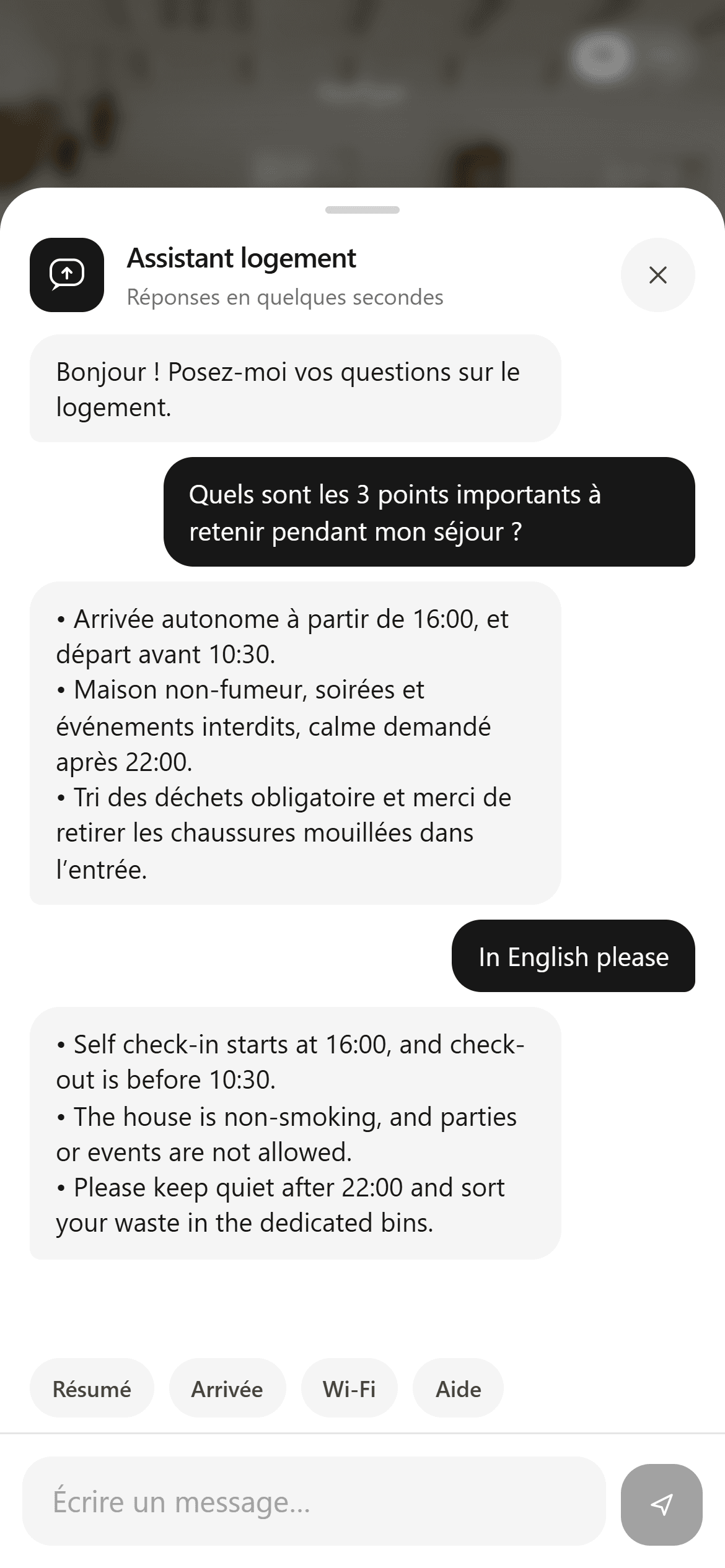
A question at 11pm? The answer is in your guide.
The assistant reads the property guide and nothing else. You write the content once; it uses it to answer when you are not available.
- It answers from the property’s public information, the content you wrote.
- It follows the guest’s language, and switches to English as soon as it is asked.
- When the information is not in the guide, it says so and points to your public contact.
- It never gives out the Wi-Fi password: it points to the button provided in the guide.

Manager workspace
One property, three steps.
Fill in the guide
Wi-Fi, check-in and check-out, rules, amenities, local places and contacts. You write it once, from your workspace.
Print the QR code
Pick a style, download the A4 PDF and place it in the property.
Edit whenever you want
The QR code already printed always opens the latest version. Nothing to reprint, nothing to resend.

- UpdatesA correction is live straight away, with no binder to reprint and no PDF to resend.
- TrackingSee how many times each property’s guide has been scanned.
- ControlPause or unpublish a page at any time.
A few answers before you start.
Do guests need to install an app?
No. The guide opens in their browser from the property’s QR code. Guests do not need an account.
Do I need to reprint the QR code after an update?
No. The property link stays the same. The QR code you already printed always opens the latest version of the guide.
What information does the assistant use?
Only the property’s public information, the content you wrote in the guide. It has no access to your manager workspace.
Can anyone see the Wi-Fi password?
No. It appears neither in the page text nor in the assistant’s answers. Guests reveal it themselves with the guide’s “Show password” button.
Which languages is the guide available in?
The guide’s interface is available in French and English, and guests choose. The assistant replies in the language it is written to.
What happens when I apply to the pilot programme?
You tell us about your business and your properties. We review your application and discuss your needs; if it is accepted, you receive an invitation. Applying creates no account and triggers no payment.

Pilot programme
Try NoFlyer in your properties.
The pilot programme is open to a limited number of property managers, by invitation. Applying creates no account and triggers no payment.
Join the pilot programme